صحت Sehat - “health” in Urdu

Health tracking that never leaves your phone.

Sehat counts your steps, reads your heart rate from the camera, and guides your breathing - all stored on your device alone. No accounts. No cloud. No internet permission, at all.
No accounts No servers No tracking Free & open source
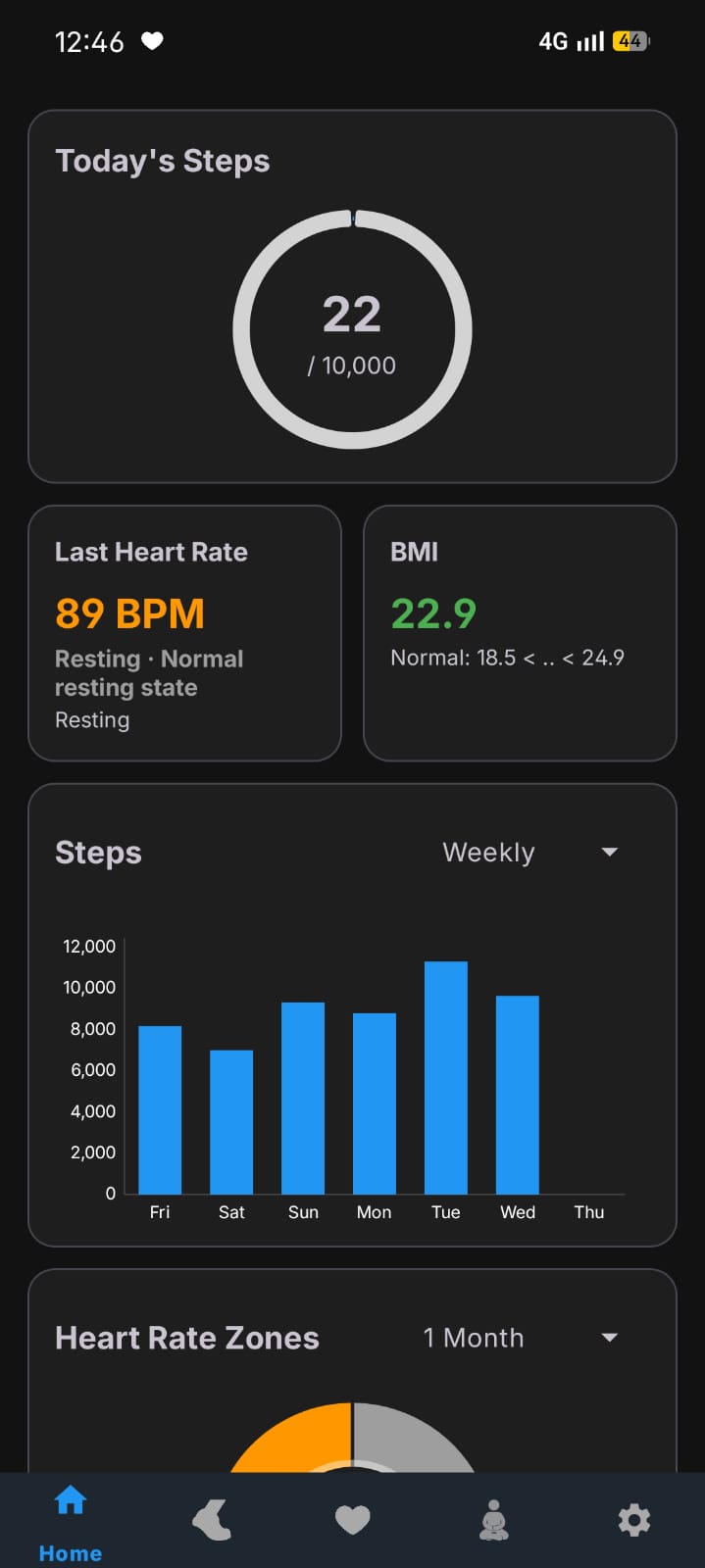
Sehat home screen showing today's steps, heart rate and BMI
Today's steps
0/ 10,000
79 BPM
100% on-deviceNothing uploaded

No INTERNET permission

The app isn't granted network access. It is technically incapable of phoning home.

Stored on your phone

Steps, heart rate and settings live in a local on-device database - never a server.

Zero tracking

No ads, no analytics, no crash reporting, no third-party SDKs. Nobody is watching.

Open source · MIT

Every line is public. Read it, audit it, or build it yourself from source.

What it does

Three tools for a healthier day

Everything you'd reach for in a fitness app - without handing your body's data to anyone.
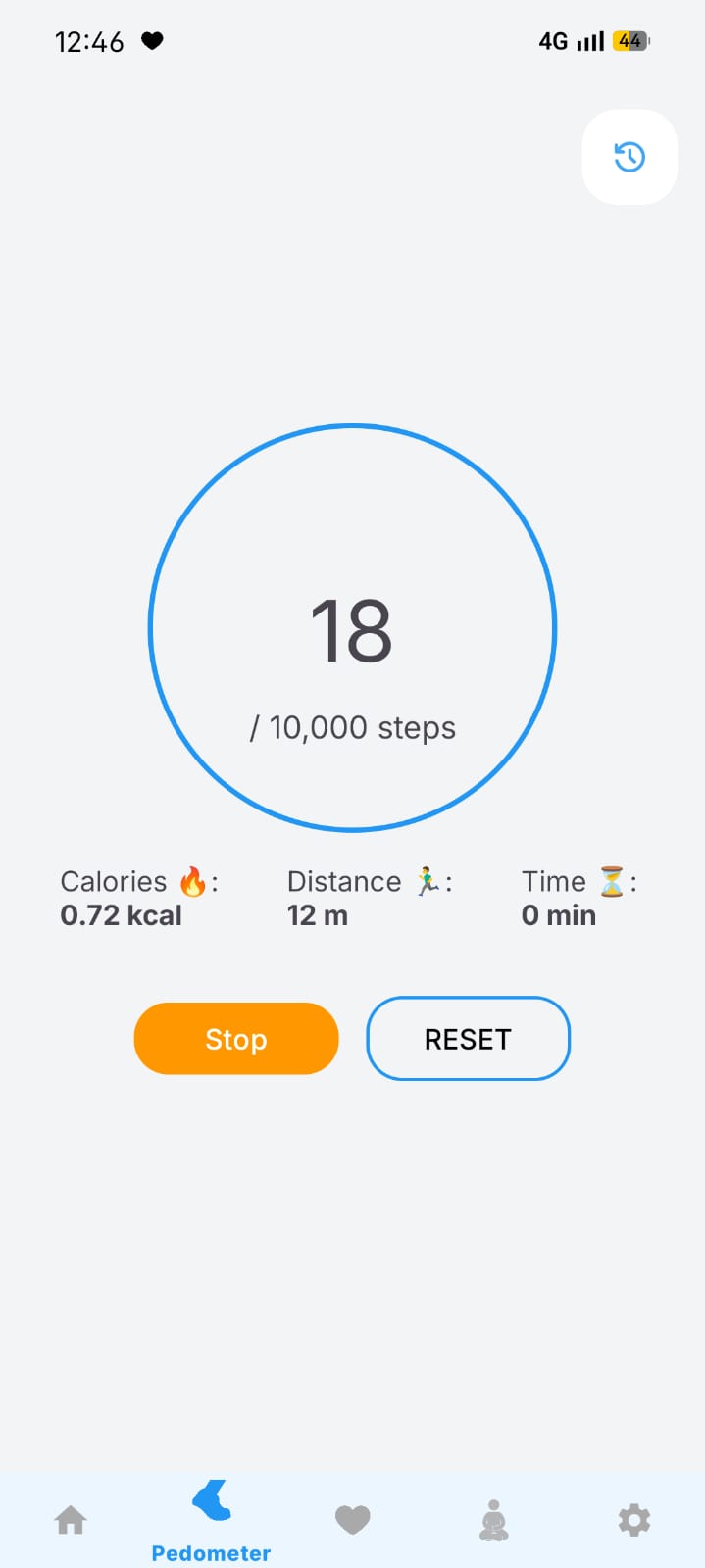
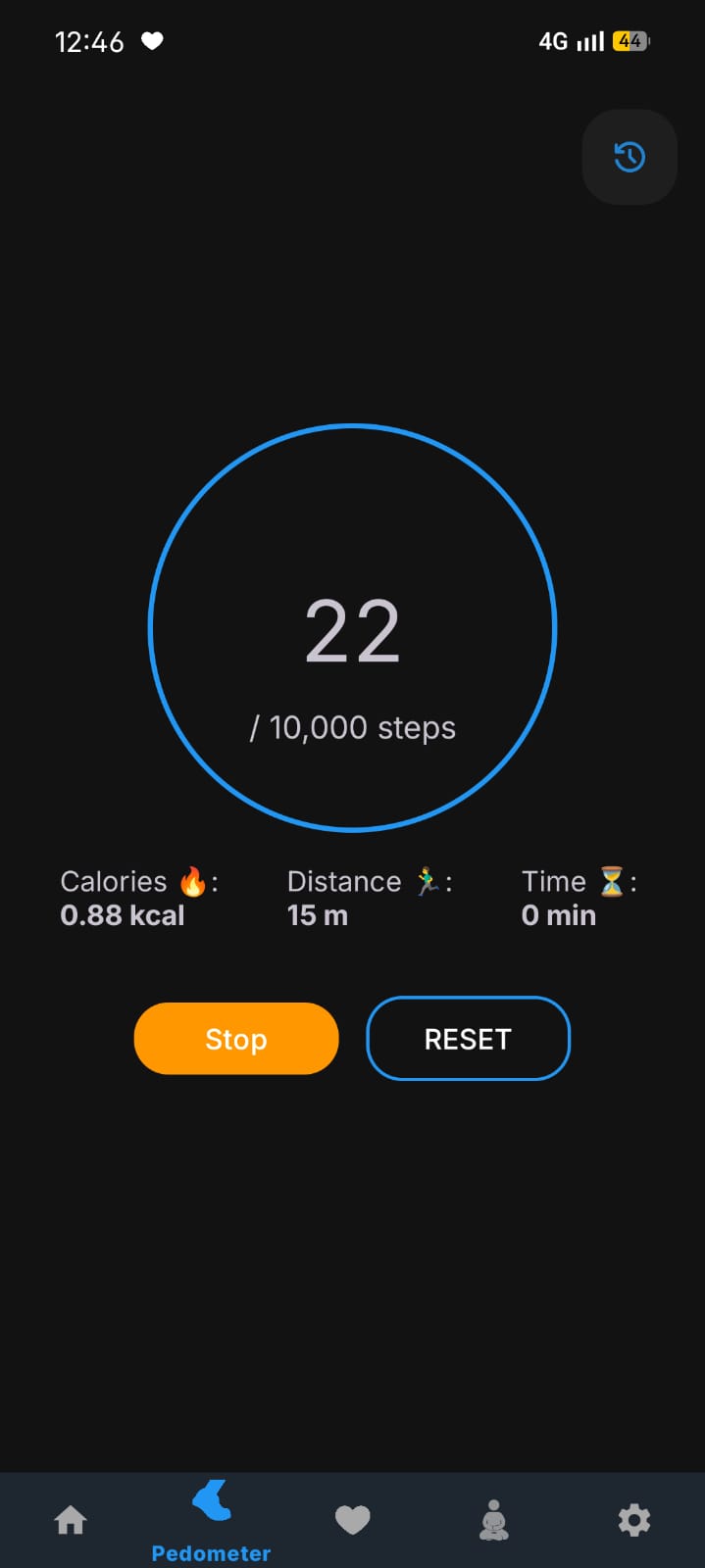
Sehat pedometer screen with step ring, calories, distance and time
Pedometer

Count every step, even in your pocket

Sehat reads your phone's built-in step sensor and keeps counting in the background as a foreground service.

  • Live steps, distance, calories & active time
  • Configurable daily goal & sensor sensitivity
  • Session history and live BMI from your profile
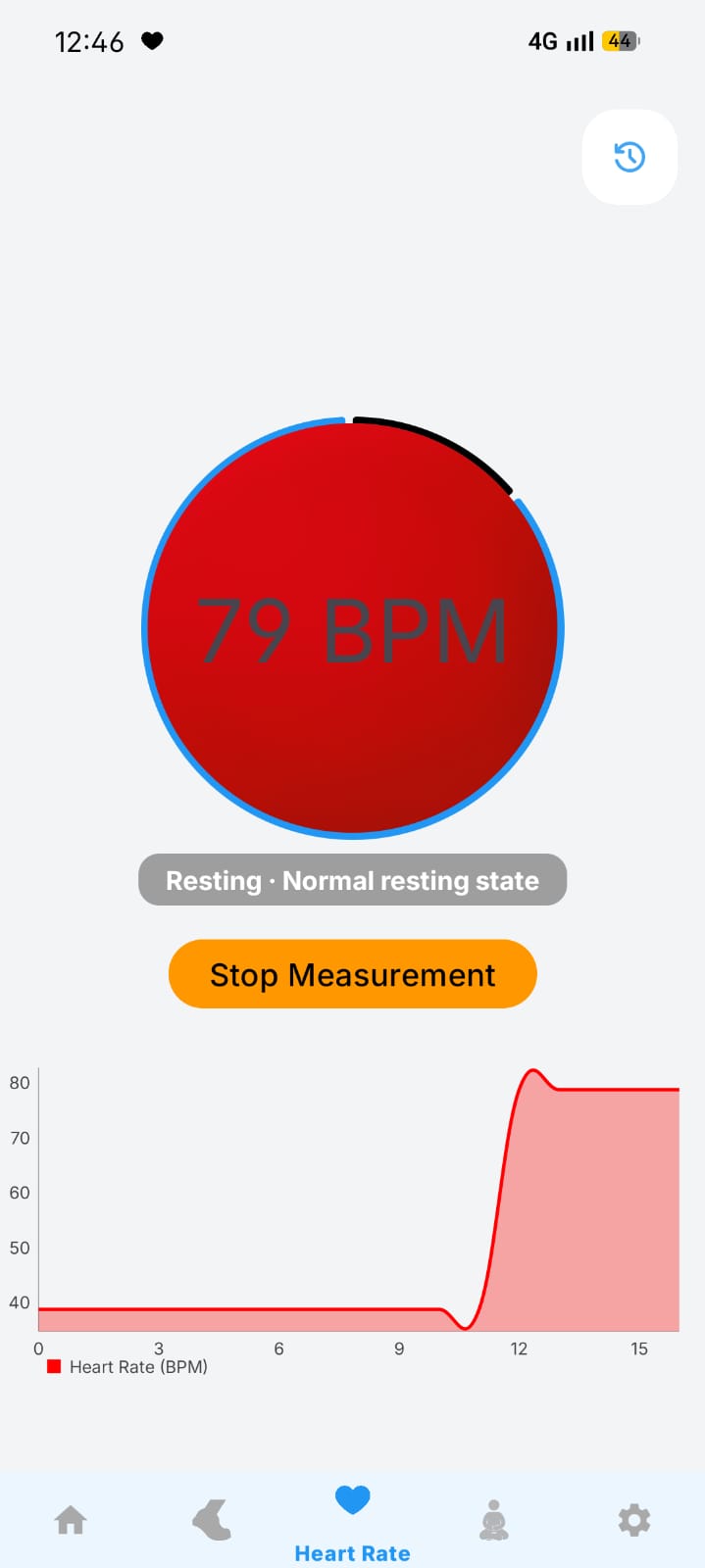
Sehat heart rate monitor showing 79 BPM and a live chart
Heart Rate

Your pulse, read by the camera

Rest a fingertip on the lens. Sehat detects subtle shifts in reflected light to find your beat - no smartwatch required.

  • Real-time BPM with a live waveform chart
  • Tag readings by activity - resting, walking, running
  • No frames recorded or stored - ever
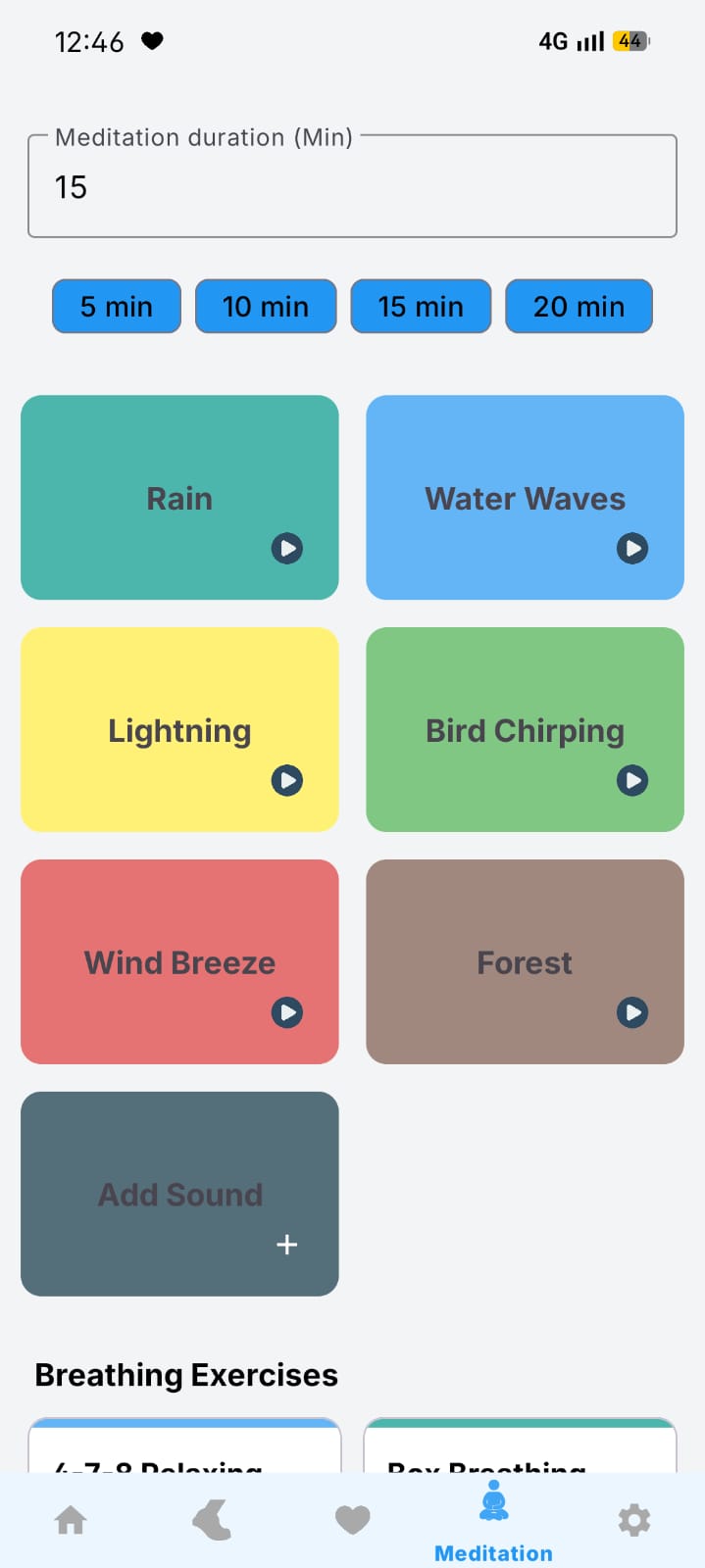
Sehat meditation screen with soundscapes and breathing exercises
Meditation

Breathe, focus, unwind

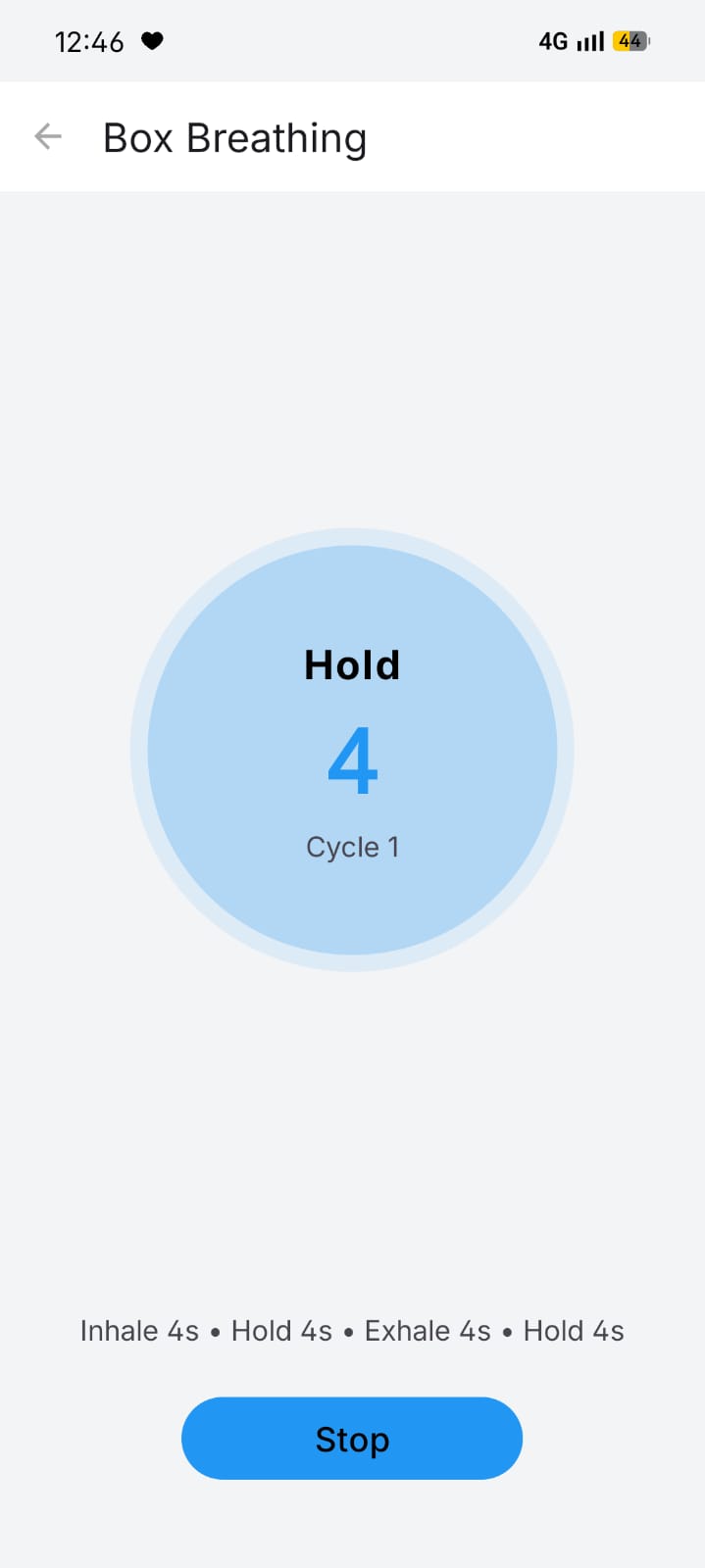
Six ambient soundscapes and guided breathing exercises to help you slow down - playing uninterrupted in the background.

  • Rain, waves, forest, birds, wind & more
  • Box breathing & 4-7-8 with selectable durations
  • Add your own sounds from device storage
Privacy, by architecture

We didn't add privacy. We removed everything else.

Most apps promise not to misuse your data. Sehat is built so it physically can't. There's no network permission in the manifest - so there's no way to send anything anywhere.

AndroidManifest.xml
<!-- Permissions Sehat requests -->
<uses-permission android:name="ACTIVITY_RECOGNITION"/>
<uses-permission android:name="CAMERA"/>
<uses-permission android:name="FOREGROUND_SERVICE"/>
<uses-permission android:name="POST_NOTIFICATIONS"/>
 
<!-- The one permission that never appears: -->
<uses-permission android:name="android.permission.INTERNET"/>
No INTERNET permission means no sockets, no requests, no exfiltration - guaranteed by Android itself.

Your data

Steps · heart rate · profile · settings

NEVER LEAVES

The cloud

No servers · no sync · no account

Full transparency

Every permission, explained

Sehat asks for exactly what each feature needs - and nothing more.

PermissionWhy it's needed
ACTIVITY_RECOGNITION
Reads the hardware step counter so the pedometer can count your steps.
CAMERA
Measures heart rate from your fingertip. No photo or video is ever captured.
POST_NOTIFICATIONS
Shows the ongoing notification for background tracking and audio.
FOREGROUND_SERVICE
Keeps step tracking and meditation audio running while the app is backgrounded.
READ_MEDIA_AUDIO
Lets you pick your own meditation sounds from device storage (Android 13+).

Notably absent: INTERNET, location, contacts, and storage write permissions.

A closer look

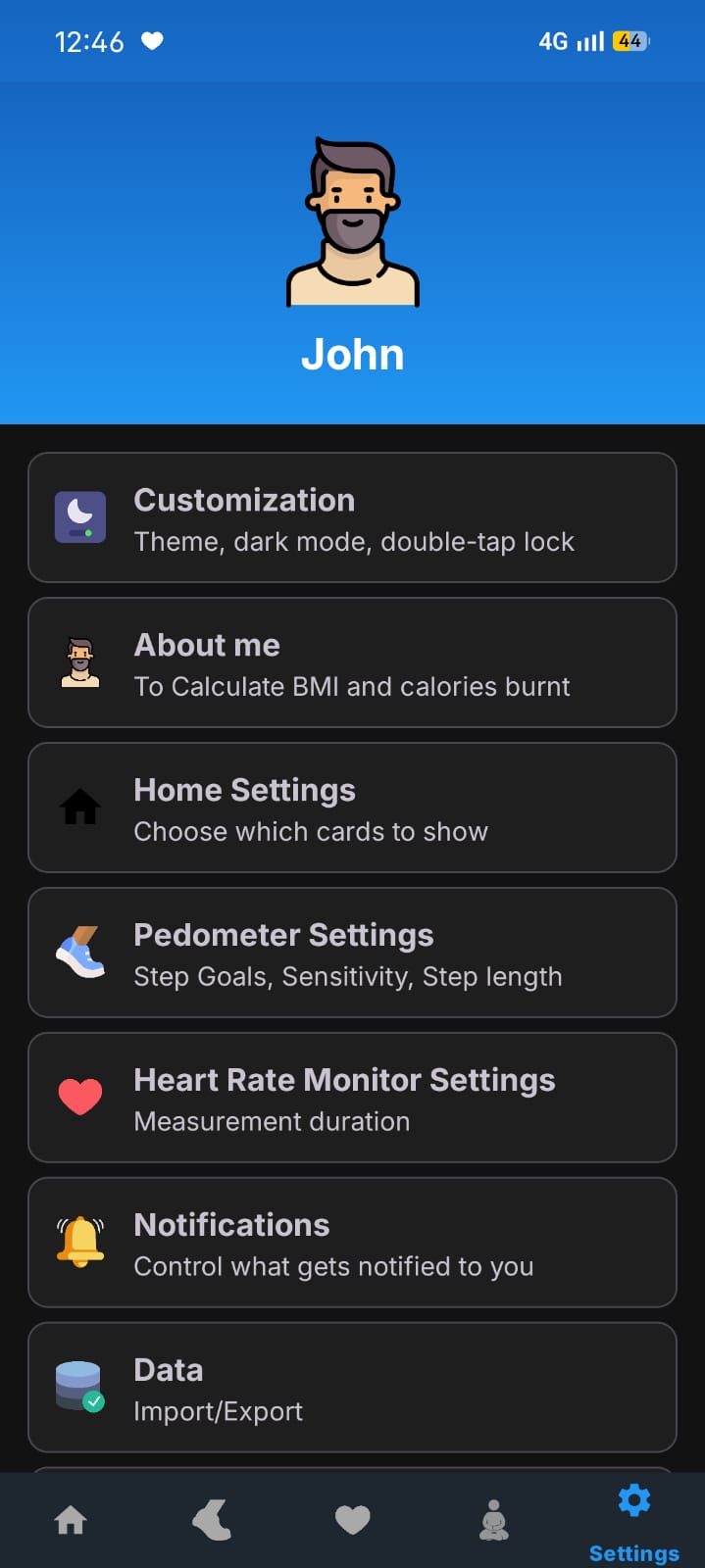
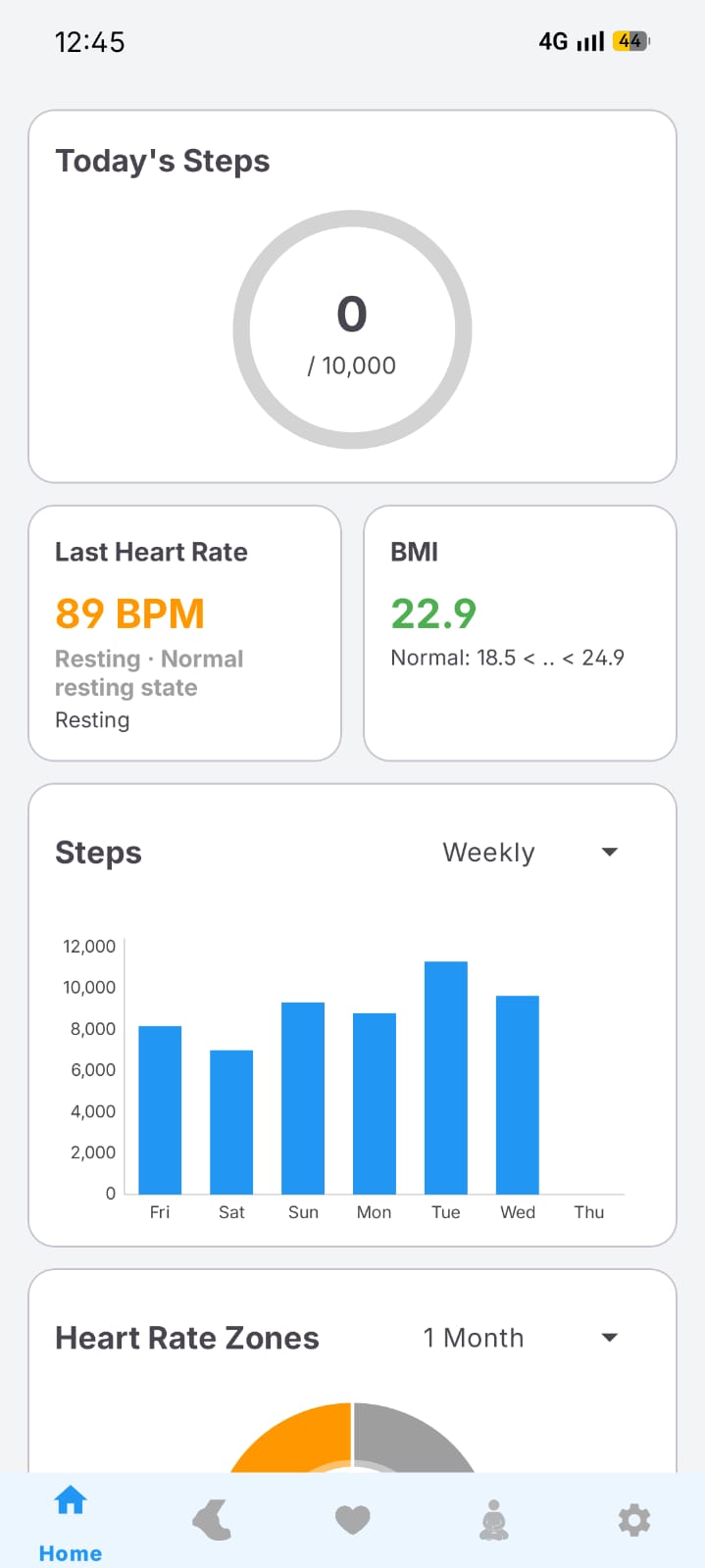
Built for clarity, light or dark

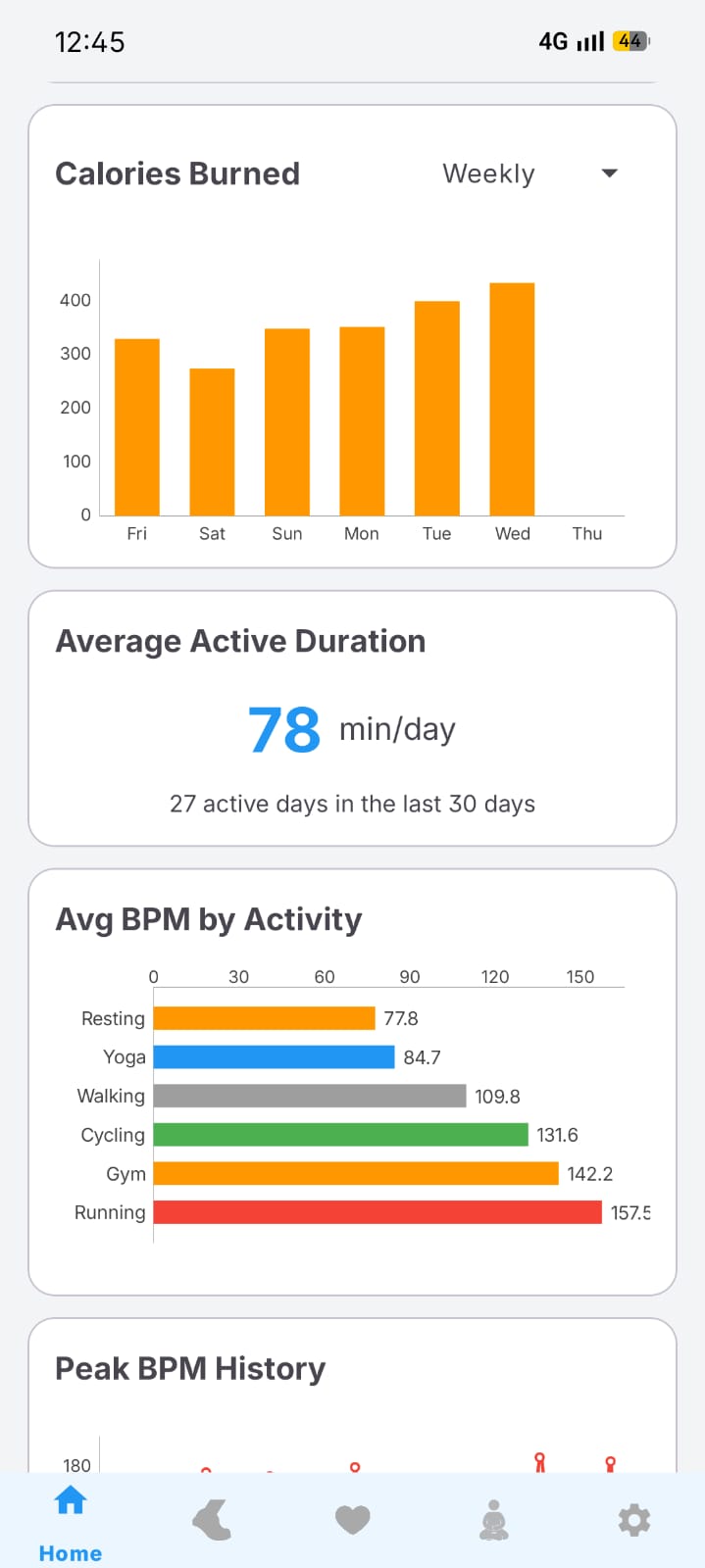
Clean Material design with light, dark and pure-black AMOLED themes, plus colour accents you can switch.
Questions

Good to know

Everything about how Sehat works, what it measures, and how it keeps your data private.

Privacy & data

Does the app use the internet?
No. Sehat doesn't request the INTERNET permission at all, so it works entirely offline and is technically incapable of making a network connection. There are no analytics, ads, or telemetry of any kind.
How is my data stored?
All data - personal information, step counts, heart rate readings, and settings - is stored locally on your device. Nothing is sent to any server or third party. You can export or import your data at any time from Settings > Data.
Is my data encrypted?
Your data is stored in the app's private internal storage, which is sandboxed by Android and inaccessible to other apps. On devices with file-based encryption (Android 7+), data at rest is automatically encrypted by the operating system.
How do I export or back up my data?
Go to Settings > Data > Export data. You'll be prompted to choose a location to save a JSON backup file. To restore, use Import data from the same menu. The file never leaves your control.
Can I delete my health records?
Yes. Open any pedometer or heart rate history entry and tap the Delete button. Deleted records cannot be recovered.

Accuracy & measurement

How accurate is the heart rate measurement?
The camera-based method provides an approximate reading suitable for general wellness tracking. For medical-grade accuracy, please use a certified medical device. Factors like movement, ambient light, and finger pressure can affect the reading.
How accurate is the pedometer?
The pedometer uses your phone's hardware step counter sensor. Accuracy depends on your device and where you carry it. For best results, keep the phone in your pocket or a secure holder. You can adjust the sensitivity in Settings > Pedometer Settings.

Using the app

Can I change the default screen shown on launch?
Yes. Go to Settings > Customization > Default Screen and pick the tab you'd like to see when you open the app.
What does the double-tap to lock feature do?
When enabled in Settings > Customization, double-tapping anywhere on the screen locks your device. This uses Android's Accessibility Service and works without requiring your PIN or pattern on the lock screen (fingerprint unlock remains available).

About the project

Is Sehat really free?
Yes - completely free and open source under the MIT license. There are no ads, no subscriptions, and no in-app purchases. You can even build it yourself from the source code.
Why isn't it on the Play Store?
Sehat is distributed as a direct APK via GitHub Releases, keeping the project independent and fully transparent. Download the latest APK and install it directly.
What Android version do I need?
Sehat supports Android 7.0 (API 24) and newer, and is built against the latest Android 15 (API 35). Step counting requires a device with a hardware step sensor.

Take your health back.

Download Sehat and start tracking steps, heart rate and calm - knowing your data stays exactly where it belongs.

MIT licensed · ~10 MB · Android 7.0+ · No INTERNET permission